
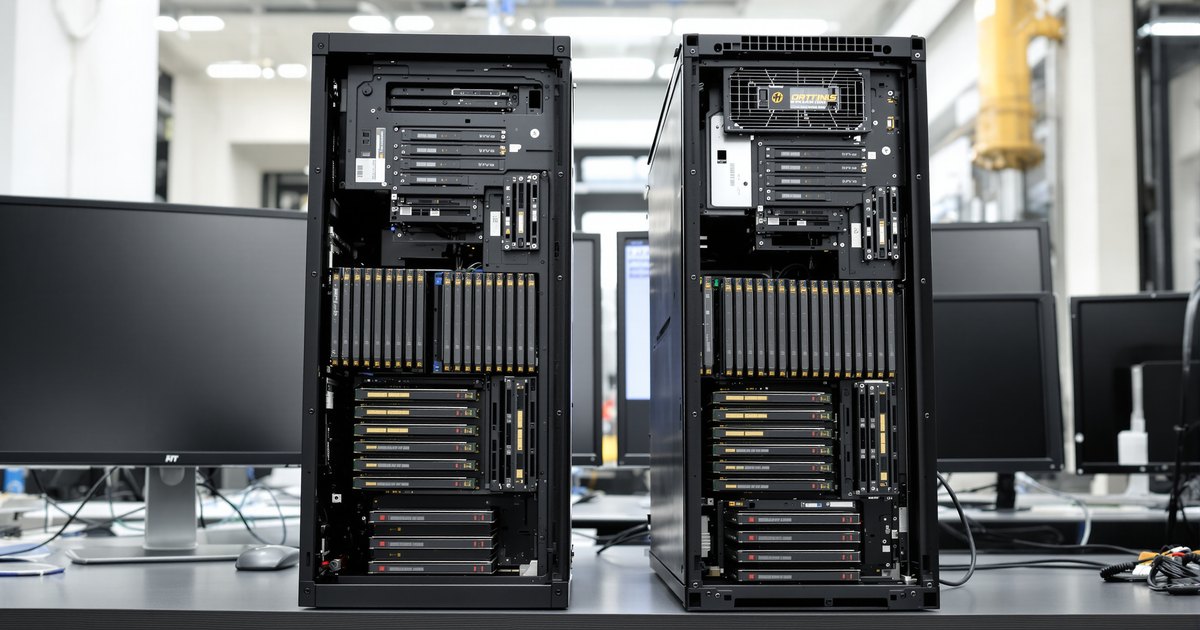
AMD builds two platforms on the same sTR5 socket. TRX50 is the high-end desktop platform for Threadripper 7000 and 9000 processors. WRX90 is the workstation platform for Threadripper PRO 7000 WX and 9000 WX. They look alike from a distance, but they differ in memory channels, maximum memory, PCIe lanes, supported processors and management features. This guide puts the two side by side and explains which one fits which build.
WRX90 vs TRX50 at a glance
| WRX90 | TRX50 | |
|---|---|---|
| Socket | sTR5 | sTR5 |
| Processors | Threadripper PRO 7000 WX and 9000 WX only | Threadripper 7000 and 9000, plus Threadripper PRO WX |
| Maximum cores | 96 (7995WX, 9995WX) | 64 with non-PRO processors (7980X, 9980X) |
| Memory channels | 8 | 4 |
| Maximum memory | 2TB | 1TB |
| Memory type | DDR5 ECC RDIMM | DDR5 ECC RDIMM |
| Theoretical bandwidth at DDR5-6400 | 409.6 GB/s | 204.8 GB/s |
| Usable PCIe lanes | 144, up to 128 PCIe 5.0 | 88, up to 80 PCIe 5.0 with 9000 series (48 with 7000 series) |
| AMD PRO Manageability and PRO Security | Yes | No |
| Overclocking | Supported, not on OEM systems | Supported, including EXPO memory |
| Processor TDP | 350 W | 350 W |
Figures come from AMD's Threadripper platform pages. The bandwidth row is a theoretical peak: transfer rate times 8 bytes per channel times the number of channels.
Memory: eight channels vs four
Both platforms take the same module type, DDR5 ECC RDIMM. The difference is how many channels the processor can use. WRX90 has eight, so a full system uses eight modules, holds up to 2TB and reaches about 409.6 GB/s at DDR5-6400. TRX50 has four, uses four modules, holds up to 1TB and reaches about 204.8 GB/s at the same speed.
For simulation, large renders, scientific computing and CPU-based AI work, that doubling of bandwidth often matters more than the core count. For workloads that fit in a few hundred gigabytes and are not memory bound, four channels are enough. Our guide to capacity vs speed vs bandwidth explains how to tell which you need.
The processor sets the speed on both platforms: DDR5-5200 for 7000 series and DDR5-6400 for 9000 series. For WRX90 memory details see the AMD WRX90 memory guide, and for TRX50 see how to install RAM in a TRX50 workstation.
How much memory do you need?
Both platforms run one module per channel, so the total is the module size times the number of slots. Every row below fills every channel with identical modules:
| Module size | TRX50 (4 slots) | WRX90 (8 slots) |
|---|---|---|
| 16GB | 64GB | 128GB |
| 32GB | 128GB | 256GB |
| 48GB | 192GB | 384GB |
| 64GB | 256GB | 512GB |
| 96GB | 384GB | 768GB |
| 128GB | 512GB | 1TB |
| Platform maximum (AMD) | 1TB | 2TB |
The platform maximums need larger 3DS modules than the 128GB ceiling most builds use. One board-specific exception: the GIGABYTE TRX50 AI TOP has eight slots and lists up to 2TB, with eight-channel operation when a Threadripper PRO is installed. On every other TRX50 board, plan for four.
- Up to 256GB: CAD, video editing, software development. Both platforms cover it.
- 384GB to 512GB: large renders, simulation, several VMs. TRX50 tops out here with 128GB modules.
- 768GB to 1TB: large AI models on the CPU, in-memory analytics, big VM hosts. WRX90.
- Beyond 1TB: WRX90 up to 2TB, or an EPYC server.
Our AI workstation RAM guide sizes memory by workload, and does TRX50 support 64GB, 96GB and 128GB RDIMMs covers module sizes on TRX50 in detail.
Processors and core counts
WRX90 runs Threadripper PRO only, up to 96 cores with the 7995WX or 9995WX. AMD does not list non-PRO Threadripper processors for WRX90. TRX50 runs the non-PRO Threadripper 7000 and 9000 series, up to 64 cores with the 7980X or 9980X, and AMD also lists Threadripper PRO WX support. Every one of these processors is rated at 350 W.
A PRO processor on TRX50 is limited by the board, not the chip. It runs four memory channels and the TRX50 lane budget, and AMD lists PRO Manageability and PRO Security as not available on TRX50. If you want the full eight channels and 128 PCIe 5.0 lanes of a PRO processor, it has to be on WRX90.
PCIe lanes and expansion
WRX90 offers 144 usable lanes, up to 128 of them PCIe 5.0. TRX50 offers 88 usable lanes: up to 80 PCIe 5.0 with a Threadripper 9000 processor, or 48 PCIe 5.0 with a 7000 series processor. The board layouts show the difference:
| Board | Platform | Form factor | PCIe slots | Memory slots |
|---|---|---|---|---|
| ASUS Pro WS WRX90E-SAGE SE | WRX90 | EEB, 12 x 13 in | 6 PCIe 5.0 x16 plus 1 x16 slot at x8 | 8 |
| ASRock WRX90 WS EVO | WRX90 | EEB | 7 PCIe 5.0 x16 slots (six at x16, one at x8) | 8 |
| GIGABYTE WRX90 AI TOP | WRX90 | 30.5 x 33 cm | 6 PCIe 5.0 x16 plus 1 PCIe 5.0 x8 | 8 |
| ASUS Pro WS TRX50-SAGE WIFI | TRX50 | CEB, 12 x 11 in | 2 PCIe 5.0 x16, 1 PCIe 5.0 at x8, 1 PCIe 4.0 x16, 1 PCIe 4.0 at x4 | 4 |
| ASRock TRX50 WS | TRX50 | E-ATX, 305 x 277 mm | 2 PCIe 5.0 x16, 1 PCIe 5.0 x4, 1 PCIe 4.0 x8, 1 PCIe 4.0 x4 | 4 |
| GIGABYTE TRX50 AERO D | TRX50 | E-ATX, 30.5 x 26.4 cm | 2 PCIe 5.0 x16, 1 PCIe 4.0 x16 | 4 |
WRX90 boards are built for four or more GPUs, high-speed networking and many NVMe drives at full width. TRX50 boards suit one to three GPUs and a smaller case. See the best WRX90 motherboards for a closer look at the WRX90 boards.
Management and security
WRX90 supports AMD PRO Manageability and PRO Security, the features IT teams use to deploy and manage workstation fleets. Several WRX90 boards also carry a baseboard management controller with a dedicated management port, such as the AST2600 on the ASUS Pro WS WRX90E-SAGE SE. TRX50 does not list the AMD PRO features. For a single creator workstation that rarely matters; for a managed fleet it can decide the platform.
Overclocking
AMD lists overclocking support on both platforms, and G.Skill described TRX50 as the first AMD RDIMM platform to officially support memory overclocking. AMD notes that WRX90 overclocking is not offered on OEM systems, and that overclocking voids the processor warranty. Most professional buyers run memory at the rated speed for stability on long jobs.
Which should you choose?
Choose WRX90 when the work outgrows four memory channels. If none of the limits below touch your work, TRX50 costs less and needs half the modules.
| Your need | TRX50 is enough | Choose WRX90 |
|---|---|---|
| Memory capacity | Up to 512GB (4 x 128GB) | 768GB to 2TB |
| Memory bandwidth (DDR5-6400) | 204.8 GB/s is enough | Needs 409.6 GB/s |
| Cores | Up to 64 | 96 |
| PCIe 5.0 lanes | Up to 80 (9000 series) | 128 |
| GPUs at full x16 width | Two or three | Four or more |
| Fleet management | Standalone workstation | AMD PRO Manageability and PRO Security |
| System type | A smaller CEB or E-ATX build | OEM workstations such as the Dell Precision 7875 or Lenovo ThinkStation P8 |
| Memory modules to buy | Four | Eight |
Workloads that justify WRX90
- CPU-based AI inference and fine-tuning. Token rate scales with memory bandwidth, and large models need the capacity.
- Simulation and scientific computing. CFD, FEA and similar solvers stream large datasets through memory and use every channel. See WRX90 for CAD, CAE and simulation.
- Many virtual machines on one host. Capacity decides how many VMs fit. See WRX90 for virtualization.
- Four or more GPUs. 128 PCIe 5.0 lanes keep each card at full width.
- Managed fleets. AMD PRO Manageability and PRO Security are listed for WRX90, not TRX50.
Workloads where TRX50 is enough
- 3D modeling, CAD and video editing that fit in a few hundred gigabytes.
- Software development and compiling, where clock speed and cores matter more than channels.
- GPU rendering with one to three cards, where the GPUs do the heavy work.
A quick check: if your software already waits on memory on a four-channel system (high CPU use but little gain from more cores), WRX90 is the upgrade that helps.
Either way, plan the memory as part of the platform choice: eight identical modules on WRX90, four on TRX50. Our WRX90 motherboard compatibility guide and WRX90 workstation building guide cover the next steps.
Memory for both platforms
NEMIX RAM lists DDR5 ECC RDIMM by board: the ASUS Pro WS WRX90E-SAGE SE, the ASRock WRX90 WS EVO, the GIGABYTE MH53-G40 and the Supermicro H13SRH, each at DDR5-6400, and most also at DDR5-5600 and DDR5-4800 for 7000 WX systems. Browse all DDR5 RDIMM or the Threadripper motherboard memory collection. For TRX50, see our kits for the ASUS Pro WS TRX50-SAGE WIFI and the ASRock TRX50 WS.
Frequently asked questions
What is the main difference between WRX90 and TRX50?
Memory and I/O. WRX90 has eight DDR5 memory channels, up to 2TB and up to 128 PCIe 5.0 lanes. TRX50 has four channels, up to 1TB and up to 80 PCIe 5.0 lanes with a Threadripper 9000 processor. Both use the sTR5 socket and DDR5 ECC RDIMM.
Can I put a Threadripper PRO in a TRX50 motherboard?
Yes. AMD lists Threadripper PRO WX support on TRX50. The processor then runs within the TRX50 platform: four memory channels, the TRX50 lane count, and without AMD PRO Manageability and PRO Security.
Can a non-PRO Threadripper run on WRX90?
No. AMD lists WRX90 support for Threadripper PRO 7000 WX and 9000 WX processors only.
Does TRX50 and WRX90 use the same memory?
Both take DDR5 ECC registered memory (RDIMM), so the module type is the same. WRX90 uses eight modules to fill its channels and TRX50 uses four. Speed depends on the processor: DDR5-5200 for 7000 series and DDR5-6400 for 9000 series.
Is WRX90 twice as fast as TRX50?
Only for work limited by memory bandwidth, where its eight channels double the four of TRX50. Lightly threaded and GPU-bound work runs about the same.
How much RAM can I install with NEMIX RAM modules?
NEMIX RAM supplies DDR5-6400 RDIMMs up to 128GB per module: up to 512GB on a four-slot TRX50 board and up to 1TB on a WRX90 board.
Can I start on TRX50 and move to WRX90 later?
Both use the sTR5 socket and DDR5 ECC RDIMM, so the processor and modules carry over if the processor is a Threadripper PRO, but you need a new board. WRX90 runs only Threadripper PRO.
Which platform supports overclocking?
AMD lists overclocking support on both platforms, with the note that WRX90 overclocking is not offered on OEM systems. AMD also states that overclocking voids the processor warranty.
Which should I choose for AI or rendering?
If the work needs more than 1TB of memory, more than four memory channels of bandwidth, or many GPUs at full PCIe 5.0 width, choose WRX90. If it fits in four channels and two or three GPUs, TRX50 costs less and still offers 64 cores.
Buying for more than one system
IT teams and integrators that maintain Threadripper workstations across a studio, lab or engineering team can standardize on one kit per model. Request a quote with your models and quantities, or send us your system model and we will confirm the right module before you order.
Steps and rules are summarized from the vendors' published documentation; follow the guide for your exact model.