
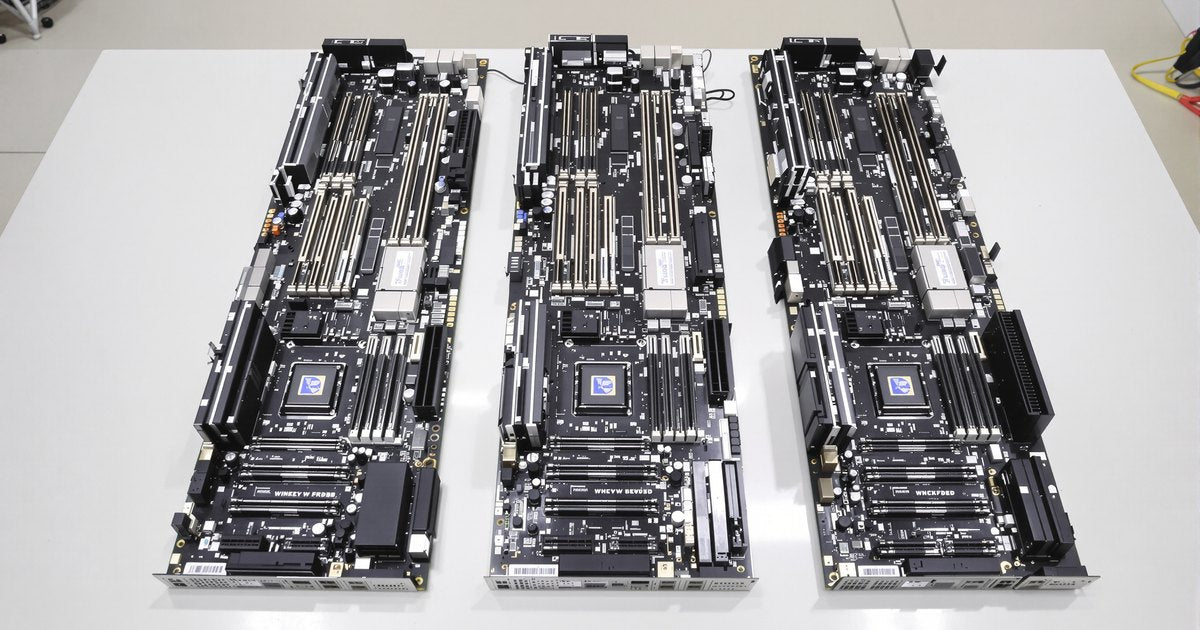
A WRX90 build pairs a Threadripper PRO processor with components that can feed it: registered memory in eight channels, power for a 350 W processor and several GPUs, an sTR5 cooler and an EEB case. This guide covers each compatibility check in order, with the details from AMD and the board vendors.
Processors
WRX90 supports AMD Ryzen Threadripper PRO 7000 WX and 9000 WX processors. AMD does not list the non-PRO Threadripper 7000 or 9000 series for WRX90; those belong on TRX50 (see WRX90 vs TRX50).
| Series | Models (cores) | Memory speed | TDP |
|---|---|---|---|
| Threadripper PRO 9000 WX | 9995WX (96), 9985WX (64), 9975WX (32), 9965WX (24), 9955WX (16), 9945WX (12) | DDR5-6400 | 350 W |
| Threadripper PRO 7000 WX | 7995WX (96), 7985WX (64), 7975WX (32), 7965WX (24), 7955WX (16), 7945WX (12) | DDR5-5200 | 350 W |
| Threadripper 7000 and 9000 (non-PRO) | Not listed by AMD for WRX90; use TRX50 | n/a | n/a |
The 9000 WX series drops into existing WRX90 boards after a BIOS update. Check the board's CPU support list for the minimum BIOS before you install a 9000 WX, and update with the older processor if needed. ASUS notes that first boots can be slower with 9000 series processors because of memory calibration. Our guide on updating BIOS to support new hardware covers the flash tools.
Memory
Every WRX90 board takes DDR5 ECC RDIMM in eight slots, one per channel. Unbuffered DIMMs, including ECC UDIMMs, do not work, and neither does DDR4. ASUS, ASRock, GIGABYTE and Supermicro list up to 2TB.
- Install eight identical modules for full bandwidth. ASRock states that eight-channel operation needs identical DIMMs.
- Match the speed to the processor: DDR5-6400 for 9000 WX, DDR5-5200 for 7000 WX. Faster modules run at the processor's speed.
- Check the board's memory support list. GIGABYTE directs buyers to its Memory Support List, and ASUS notes that supported DIMM speeds and counts vary by configuration.
For population details see eight-channel population on WRX90, and for each board see the ASUS Pro WS WRX90E-SAGE SE memory guide and the ASRock WRX90 WS EVO memory guide.
GPUs and expansion cards
WRX90 processors provide up to 128 PCIe 5.0 lanes, enough to run several cards at full x16 width. Each board divides them differently:
| Board | PCIe slots | M.2 and storage | Notes |
|---|---|---|---|
| ASUS Pro WS WRX90E-SAGE SE | 6 PCIe 5.0 x16 plus 1 x16 slot at x8 | 4 M.2 PCIe 5.0 x4 from the CPU, 2 SlimSAS PCIe 4.0 x4, 4 SATA | AST2600 BMC, 2 USB4, dual 10GbE |
| ASRock WRX90 WS EVO | 7 PCIe 5.0 x16 slots (six at x16, one at x8) | 1 M.2 PCIe 5.0 x4 (CPU), 1 M.2 PCIe 4.0 x4 (chipset), 2 MCIO, 2 SlimSAS | Identical DIMMs required for eight-channel operation |
| GIGABYTE WRX90 AI TOP | 6 PCIe 5.0 x16 plus 1 PCIe 5.0 x8 | 2 M.2 PCIe 5.0 (CPU), 1 M.2 PCIe 4.0 (chipset), 2 MCIO 8i | x16 slots take GPUs or NVMe cards; use PCIEX16_1 for a single GPU; MCIOX8_1 is disabled when the CPU M.2 slots are used |
Before you buy cards, check three things: the slot spacing for dual-slot or triple-slot GPUs, which slots share lanes with M.2 or MCIO connectors, and the board manual's notes on slot use. GIGABYTE, for example, states that the x16 slots on the WRX90 AI TOP take only graphics cards or NVMe adapter cards.
Storage
M.2 counts range from two to four slots, with PCIe 5.0 slots wired to the processor and PCIe 4.0 slots to the chipset. For more drives, use the SlimSAS or MCIO connectors, or a PCIe NVMe adapter card in a free x16 slot. The ASUS board also has four SATA ports for bulk storage.
CPU cooling
Threadripper processors ship with an Asetek-compatible bracket for liquid coolers. AMD recommends dedicated sTR5 coolers with larger cold plates for processors above 64 cores, such as the 7995WX and 9995WX. Options listed for sTR5 include:
- Noctua NH-U14S TR5-SP6 and NH-D9 TR5-SP6 4U, dedicated sTR5 and SP6 models with mounting hardware for the higher mounting pressure.
- Noctua NM-TR5-SP6 mounting kit, which adapts older Noctua TR4-SP3 coolers to sTR5.
- Arctic Freezer 4U-M, listed for sTR5 and rated for 350 W processors.
- SilverStone XE360-TR5, a 360 mm liquid cooler for sTR5 and SP6.
Every Threadripper PRO WX processor is rated at 350 W, so size the cooler for that load and for sustained all-core work.
Power supply
| Board | Power connectors (vendor spec) |
|---|---|
| ASUS Pro WS WRX90E-SAGE SE | 24-pin ATX, 2 x 8-pin +12V CPU, 2 x 8-pin PCIe-to-CPU, 2 x 8-pin PCIe power |
| ASRock WRX90 WS EVO | 24-pin ATX, 2 x 8-pin ATX12V (both required), 2 x 6-pin PCIE12V, 2 x 6-pin GFX_12V (one required), plus a connector for a second power supply |
| GIGABYTE WRX90 AI TOP | 24-pin ATX, 2 x 8-pin ATX12V, 4 x PCIe power; dual power supply design |
Connect every connector the board marks as required: ASRock warns its board may not boot without both 8-pin CPU connectors and one GFX_12V connector. To size the power supply, add the 350 W processor rating to the rated power of each GPU, then allow for drives, fans and memory, and leave headroom for load spikes.
Case
WRX90 boards are large. ASUS lists its board as EEB at 12 x 13 inches, and GIGABYTE lists the WRX90 AI TOP at 30.5 x 33 cm. ASRock's manual advises checking chassis compatibility. Choose a case that lists SSI-EEB support, enough length for your GPUs, and airflow for a 350 W processor plus the cards.
Operating system
AMD lists Windows 11 and Windows 10 (64-bit), Red Hat Enterprise Linux and Ubuntu for the Threadripper PRO 9995WX. Boards list narrower support: ASUS lists Windows 11 and 10 for the WRX90E-SAGE SE, GIGABYTE lists Windows 11 and Ubuntu 24.04 LTS for the WRX90 AI TOP, and ASRock lists Windows 11 for the WRX90 WS EVO. Check the driver page for your board before you choose a Linux distribution.
WRX90 memory from NEMIX RAM
NEMIX RAM lists DDR5 ECC RDIMM by board: the ASUS Pro WS WRX90E-SAGE SE, the ASRock WRX90 WS EVO, the GIGABYTE MH53-G40 and the Supermicro H13SRH, each at DDR5-6400, and most also at DDR5-5600 and DDR5-4800 for 7000 WX systems. Browse all DDR5 RDIMM or the Threadripper motherboard memory collection. For complete systems, see Dell Precision 7875 Tower memory and our Lenovo ThinkStation listings. Ready to build? Follow our WRX90 workstation building guide.
Frequently asked questions
Which processors work in a WRX90 motherboard?
AMD Ryzen Threadripper PRO 7000 WX and 9000 WX processors. AMD does not list the non-PRO Threadripper 7000 or 9000 series for WRX90. A 9000 WX processor needs a BIOS that supports it.
Can I use my old Threadripper cooler on sTR5?
Some coolers work with an adapter. Noctua's NM-TR5-SP6 kit adapts its older TR4-SP3 coolers, while its TR5-SP6 models are dedicated to sTR5 and SP6. AMD recommends sTR5 coolers with larger blocks for processors above 64 cores.
Does a WRX90 board need two power supplies?
Not as a rule, but some boards support it. The ASRock WRX90 WS EVO has a connector for a second power supply, and GIGABYTE describes the WRX90 AI TOP as a dual power supply design. Size the power supply to your processor and GPUs.
Will a WRX90 board fit an E-ATX case?
Not always. WRX90 boards measure about 12 x 13 inches (30.5 x 33 cm), the EEB size. Choose a case that lists SSI-EEB support and confirm the standoff layout.
What memory works with WRX90?
DDR5 ECC RDIMM only, ideally eight identical modules. Desktop UDIMMs and ECC UDIMMs do not work. See what RAM a WRX90 motherboard uses.
Which operating systems support WRX90?
AMD lists Windows 11 and Windows 10 (64-bit), Red Hat Enterprise Linux and Ubuntu for the Threadripper PRO 9995WX. Board support varies: GIGABYTE lists Windows 11 and Ubuntu 24.04 LTS for the WRX90 AI TOP, and ASRock lists Windows 11 for the WRX90 WS EVO.
Buying for more than one system
IT teams and integrators that maintain Threadripper PRO workstations for engineering, VFX or research teams can standardize on one kit per model. Request a quote with your models and quantities, or send us your system model and we will confirm the right module before you order.
Steps and rules are summarized from the vendors' published documentation; follow the guide for your exact model.