
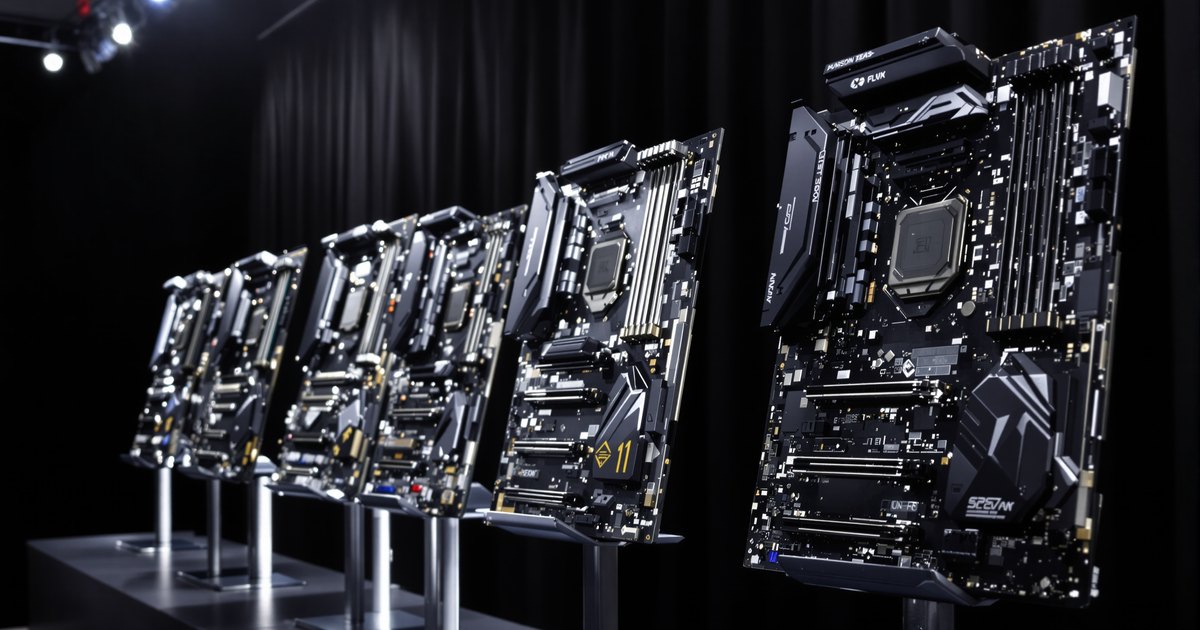
WRX90 is AMD's workstation platform for Ryzen Threadripper PRO 9000 WX and 7000 WX processors. Every WRX90 board gives you eight memory slots and eight memory channels, so the memory you buy is the same on all of them. What changes from board to board is the form factor, the PCIe layout, the storage, the networking and the remote management. This guide compares five WRX90 boards on those points and shows how to match the board to your build and then fill it with the right memory.
The short answer
- All five boards take DDR5 ECC RDIMM in eight slots. The board does not change which memory you buy.
- Choose the board by what surrounds the memory: the number of GPU slots, the chassis, the storage and the management features.
- Four boards list a 2TB memory limit, and eight identical modules fill every channel.
- Check the processor support list and BIOS version before pairing a board with a Threadripper PRO 9000 WX.
What every WRX90 board has in common
- One sTR5 socket for Ryzen Threadripper PRO processors.
- Eight DIMM slots and eight memory channels, one module per channel.
- DDR5 ECC registered memory (RDIMM). The vendor pages below list ECC RDIMM, not unbuffered DIMMs.
- Memory speed set by the processor. GIGABYTE lists up to 6400 MT/s with a Threadripper PRO 9000 WX and up to 5200 MT/s with a 7000 WX on the MH53-G40, and Supermicro lists 6400+ MT/s at one module per channel on the H13SRH.
WRX90 boards compared
| Board | Form factor | DIMM slots | Memory capacity listed | PCIe 5.0 x16 slots | M.2 slots | Networking |
|---|---|---|---|---|---|---|
| ASUS Pro WS WRX90E-SAGE SE | EEB, 12 x 13 in | 8 | 2TB (1DPC) | 7 (one runs at x8) | 4 PCIe 5.0 x4 | Dual 10GbE, 1GbE management LAN |
| ASRock WRX90 WS EVO | SSI EEB, 12 x 13 in | 8 | 2TB | 7 | 2 | Dual 10GbE (Intel X710-AT2) |
| GIGABYTE MH53-G40 | E-ATX, 304.8 x 330.2 mm | 8 | Not listed on the page | 6, plus one MCIO 8i | 4 PCIe 5.0 x4 | Dual 10GbE, 1GbE management LAN |
| GIGABYTE WRX90 AI TOP | Not stated on the page | 8 | 2TB (1DPC) | 7 | Up to 3 | Dual 10GbE, IPMI LAN |
| Supermicro H13SRH | Proprietary, 13 x 11.5 in | 8 | 2TB (1DPC) | Riser based, 9 MCIO x8 ports | 2 PCIe 4.0 x4 | Not listed on the page |
All figures come from the vendor and retailer pages listed in the sources. The ASRock figures come from a retailer listing, since the maker's own page could not be read. Specifications change by revision, so confirm against the page for the exact board you plan to buy.
The boards, one by one
ASUS Pro WS WRX90E-SAGE SE
This EEB board has seven PCIe 5.0 x16 slots, with one of them running at x8, four PCIe 5.0 x4 M.2 slots, two SlimSAS ports and dual 10GbE. It also carries an AST2600 remote management controller with a dedicated management port. It suits a workstation that needs many GPUs and fast local storage on one board. ASUS lists support for up to 2TB of ECC RDIMM at one module per channel.
ASRock WRX90 WS EVO
The WRX90 WS EVO is an SSI EEB board with seven PCIe 5.0 x16 slots and two M.2 slots. A retailer listing shows dual 10GbE on an Intel X710-AT2 controller and a 2TB memory limit. It fits a standard EEB case and a build that needs a lot of PCIe lanes with a simpler storage plan.
GIGABYTE MH53-G40
GIGABYTE's E-ATX board has six PCIe 5.0 x16 slots and one MCIO 8i connector, plus four PCIe 5.0 x4 M.2 slots, dual 10GbE and an AST2600 management controller. GIGABYTE lists DDR5 RDIMM at 8 channels but does not give a capacity limit on that page. The same board is used in the GIGABYTE W773-H5D workstation listed in our WRX90 memory guide, so it suits buyers who want a GIGABYTE system or board.
GIGABYTE WRX90 AI TOP
This board has seven PCIe 5.0 x16 slots, up to three M.2 slots, dual 10GbE and a dedicated IPMI LAN. GIGABYTE lists up to 2TB of ECC RDIMM at one module per channel and describes full ECC support. It suits GPU heavy builds, and the ECC support matters most for long jobs.
Supermicro H13SRH
Supermicro's board uses a proprietary 13 x 11.5 inch form factor and leans on riser cards and MCIO connectors, with nine PCIe 5.0 x8 MCIO connectors for drives and a riser. It has two PCIe 4.0 x4 M.2 slots. Supermicro lists 2TB at one module per channel and 6400+ MT/s. The proprietary shape limits the chassis you can use, so confirm the case before you order.
How to choose a WRX90 board
- Count the cards. List your GPUs, network cards and storage controllers, and compare them with the PCIe slots in the table.
- Pick the chassis first. EEB, SSI EEB and E-ATX boards differ in size, and the Supermicro board has its own form factor.
- Decide how you manage it. If the workstation sits in a rack or a remote room, choose a board with a management controller and a dedicated port.
- Plan the storage. M.2 count and PCIe generation differ between boards.
- Confirm processor support. Check the vendor's CPU support list and BIOS version for the Threadripper PRO model you plan to use.
- Size the memory last, using the section below.
Fill the board with the right memory
With eight channels, install eight identical DDR5 ECC RDIMMs, one per slot. Your total memory divided by eight is the module size you need.
| Eight identical modules | Total memory |
|---|---|
| 8 x 32GB | 256GB |
| 8 x 64GB | 512GB |
| 8 x 128GB | 1TB |
Four modules run only half the channels, so they leave bandwidth unused. Do not mix module types or sizes within the set, and read the board's memory population notes before you install. For sizing by workload, see how much RAM an AI workstation needs.
Common mistakes
- Buying unbuffered or non ECC memory. WRX90 boards list ECC RDIMM.
- Filling only four slots and halving the memory bandwidth.
- Choosing the board before the chassis, then finding that it does not fit.
- Skipping the BIOS check when pairing a Threadripper PRO 9000 WX with a board that launched with 7000 WX support.
- Assuming every board shares the same capacity limit. Read the page for your board.
Find memory for your WRX90 board
Start with the AMD WRX90 memory guide and the Threadripper motherboard memory collection, or browse DDR5 RDIMM. We list memory for the ASUS Pro WS WRX90E-SAGE SE, the ASRock WRX90 WS EVO and the GIGABYTE MH53-G40. For the method, see how to find compatible RAM, and for the module types see the memory types explained guide. If your board is not listed, send us the model name and we will check it.
Frequently asked questions
Do all WRX90 motherboards use the same RAM?
Yes, in type. They take DDR5 ECC RDIMM in eight slots. The supported speed depends on the processor, and the capacity limit depends on the board, so check both for your model.
How many memory slots does a WRX90 board have?
Eight, matching the eight memory channels of the platform. Each channel has one slot.
Can I use ECC UDIMM or non ECC memory on a WRX90 board?
The vendor pages list DDR5 ECC RDIMM. Do not plan on unbuffered memory for this platform. Confirm in the board manual before you buy.
How much memory can a WRX90 board hold?
ASUS, ASRock, GIGABYTE (WRX90 AI TOP) and Supermicro list 2TB at one module per channel. The GIGABYTE MH53-G40 page does not give a figure, so check its specification sheet.
Does NEMIX RAM supply memory for WRX90 workstations?
Yes. We list DDR5 ECC RDIMM for WRX90 boards and workstations that list them, matched in sets for all eight channels. Send us your board model and processor and we will confirm the modules.
Sources
ASUS Pro WS WRX90E-SAGE SE, ASUS specifications, ASRock WRX90 WS EVO retailer listing, GIGABYTE MH53-G40, GIGABYTE WRX90 AI TOP, Supermicro H13SRH and AMD Ryzen Threadripper workstation processors, read on October 29, 2026. Specifications change, so confirm against your board maker's documentation.
Buying memory for workstation fleets
Purchase orders, net terms and volume pricing are available for engineering, reseller and public-sector orders. Request a quote with your models and quantities, or contact our sales team.