
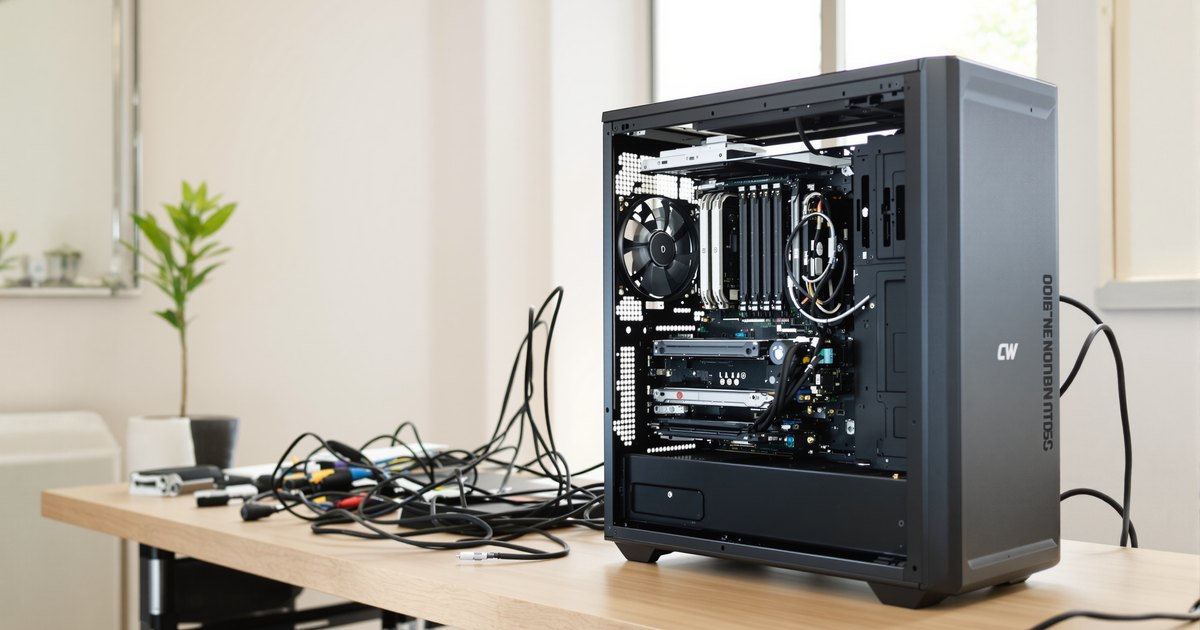
A WRX90 workstation is the largest single-socket workstation AMD offers: up to 96 cores, eight channels of DDR5 and up to 128 PCIe 5.0 lanes. Building one is like building a high-end PC with higher stakes: a 350 W processor, eight registered memory modules, several GPUs and a board larger than most cases expect. This guide walks through every part choice and the build itself.
Parts checklist
| Part | What to check |
|---|---|
| Processor | Threadripper PRO 9000 WX (DDR5-6400) or 7000 WX (DDR5-5200); 12 to 96 cores; 350 W |
| Motherboard | WRX90, PCIe slot layout, M.2 count, BMC, BIOS support for your processor |
| Memory | Eight identical DDR5 ECC RDIMMs at the processor's speed |
| Cooler | sTR5 mounting, rated for 350 W sustained; large cold plate above 64 cores |
| Power supply | Processor plus all GPUs plus headroom; every required board connector |
| Case | SSI-EEB support, GPU length, airflow |
| Storage | PCIe 5.0 M.2 for the OS and active projects; MCIO, SlimSAS or SATA for bulk |
| Operating system | Windows 11 or a Linux distribution the board vendor supports |
1. Processor
WRX90 runs Threadripper PRO 7000 WX and 9000 WX processors only. The 9000 WX series runs memory at DDR5-6400 against DDR5-5200 on 7000 WX, so it is the better choice for a new build. Core counts run from 12 (9945WX) to 96 (9995WX), all at 350 W. More cores help rendering, simulation and compiles. For lightly threaded CAD work, a 16 to 32-core model with higher clocks is often the better value.
2. Motherboard
Every WRX90 board has eight memory slots and the same memory type, so choose by what surrounds the memory: PCIe slots for your GPUs and cards, M.2 and other storage connectors, networking, a management controller for remote access, and the form factor. Our best WRX90 motherboards guide compares the ASUS, ASRock, GIGABYTE and Supermicro boards, and the WRX90 compatibility guide lists the slot and power details.
3. Memory
Memory is where WRX90 earns its place, so plan it with care. Use DDR5 ECC RDIMM only, buy eight identical modules, and match the speed to the processor. Decide the total you need, then divide by eight:
| Eight identical modules | Total | Typical use |
|---|---|---|
| 8 x 16GB | 128GB | CAD, video editing, software development |
| 8 x 32GB | 256GB | 3D rendering, large codebases, virtual machines |
| 8 x 64GB | 512GB | Simulation, scientific computing, multi-GPU AI work |
| 8 x 128GB | 1TB | Very large datasets, in-memory analytics, model training |
Buy the full set at once rather than four modules now and four later. Mixed batches can run slower or fail to train. If you start on a 7000 WX and plan to upgrade, DDR5-6400 modules run at 5200 now and at full speed after a move to 9000 WX. See what RAM a WRX90 motherboard uses and eight-channel population on WRX90 for more.
4. Cooling, power and case
Cooling: choose an sTR5 cooler rated for 350 W sustained load. AMD recommends coolers with larger cold plates for processors above 64 cores. Noctua's TR5-SP6 air coolers and 360 mm liquid coolers built for sTR5 are common choices.
Power: add the processor's 350 W to the rated power of every GPU, then allow for drives, fans and memory, plus headroom. As an example, a 350 W processor with two 300 W GPUs is already 950 W before the rest of the system. Connect every connector the board marks as required.
Case: WRX90 boards are about 12 x 13 inches. Choose a case that lists SSI-EEB support, with room for long GPUs and strong front-to-back airflow.
5. Storage and operating system
Put the operating system and active projects on a PCIe 5.0 M.2 drive wired to the processor. Use SATA, SlimSAS or MCIO connectors, or an NVMe adapter card, for bulk storage. AMD lists Windows 11, Windows 10, Red Hat Enterprise Linux and Ubuntu for Threadripper PRO 9000 WX; check your board's driver page for the versions it supports.
How to build a WRX90 workstation
Step 1: Choose the processor
Pick a Threadripper PRO 9000 WX for DDR5-6400 memory and PCIe 5.0 on all 128 lanes, or a 7000 WX for DDR5-5200. Match core count to the workload: 12 to 32 cores for CAD and editing, 64 to 96 for rendering, simulation and multi-GPU AI work.
Step 2: Choose the motherboard
Count the GPUs, network cards and drives you need, then compare PCIe slots, M.2 slots, management features and form factor. Confirm the board supports your processor and note the minimum BIOS.
Step 3: Size the memory
Decide the total memory, divide by eight for the module size, and order eight identical DDR5 ECC RDIMMs at the speed your processor supports.
Step 4: Choose cooling, power and case
Pick an sTR5 cooler rated for 350 W, a power supply sized for the processor plus every GPU, and a case that lists SSI-EEB support.
Step 5: Assemble the board outside the case
Install the processor in the sTR5 socket following the board manual's sequence, then the cooler, then all eight memory modules, one per slot.
Step 6: Mount the board and connect power
Install the board on the case standoffs, then connect the 24-pin and every CPU and auxiliary connector the board marks as required.
Step 7: Install GPUs and storage
Fit GPUs in the slots the manual recommends, then M.2 drives and any MCIO or SlimSAS devices. Check which slots share lanes.
Step 8: First boot and BIOS update
Power on and allow extra time for memory training. Confirm all eight modules and the full capacity in the BIOS, then update to the latest BIOS before installing the operating system.
Step 9: Install the operating system and drivers
Install a supported operating system, then the chipset, network and GPU drivers from the board and card vendors. Run a memory and stability test before production work.
After the build
Confirm that the BIOS and operating system show all eight modules, the full capacity and the expected speed. If a module is missing, reseat it before anything else. Our RAM not detected by the BIOS guide covers the next checks, and updating BIOS to support new RAM covers the flash tools.
WRX90 memory from NEMIX RAM
NEMIX RAM lists DDR5 ECC RDIMM by board: the ASUS Pro WS WRX90E-SAGE SE, the ASRock WRX90 WS EVO, the GIGABYTE MH53-G40 and the Supermicro H13SRH, each at DDR5-6400, and most also at DDR5-5600 and DDR5-4800 for 7000 WX systems. Browse all DDR5 RDIMM or the Threadripper motherboard memory collection. Still deciding on a platform? Read WRX90 vs TRX50 and the AMD WRX90 memory guide.
Frequently asked questions
How much RAM should a WRX90 workstation have?
It depends on the workload. Eight 16GB modules (128GB) suit CAD and editing, eight 32GB (256GB) suit 3D rendering and virtual machines, and eight 64GB (512GB) or 128GB (1TB) modules suit simulation, scientific computing and large AI datasets. See how much RAM an AI workstation needs.
Should I fill all eight memory slots?
Yes. Each slot is its own channel, so eight identical modules give full bandwidth. Four modules halve it, and adding modules later risks mismatched parts.
What power supply does a WRX90 build need?
Add the 350 W processor rating to each GPU's rated power, then allow for drives, fans and memory, plus headroom for load spikes. Multi-GPU builds can exceed what one power supply delivers; some boards, like the ASRock WRX90 WS EVO and GIGABYTE WRX90 AI TOP, support a second supply.
Do I need a BIOS update for a Threadripper PRO 9000 WX?
Often, on boards that launched with the 7000 WX series. Check the board's CPU support list for the minimum BIOS. Many WRX90 boards have a flashback feature that updates the BIOS without a processor installed.
Why does my WRX90 workstation take long to boot the first time?
The BIOS trains all eight memory channels on the first boot after a memory change. ASUS also notes slower boots with 9000 series processors because of memory calibration. Let it finish without resetting.
WRX90 or TRX50 for my build?
Choose WRX90 for more than 1TB of memory, eight channels of bandwidth, more than 64 cores or four or more GPUs. See WRX90 vs TRX50 for the full comparison.
Buying for more than one system
IT teams and integrators that maintain WRX90 workstations for a studio, lab or engineering team can standardize on one kit per model. Request a quote with your models and quantities, or send us your system model and we will confirm the right module before you order.
Steps and rules are summarized from the vendors' published documentation; follow the guide for your exact model.