
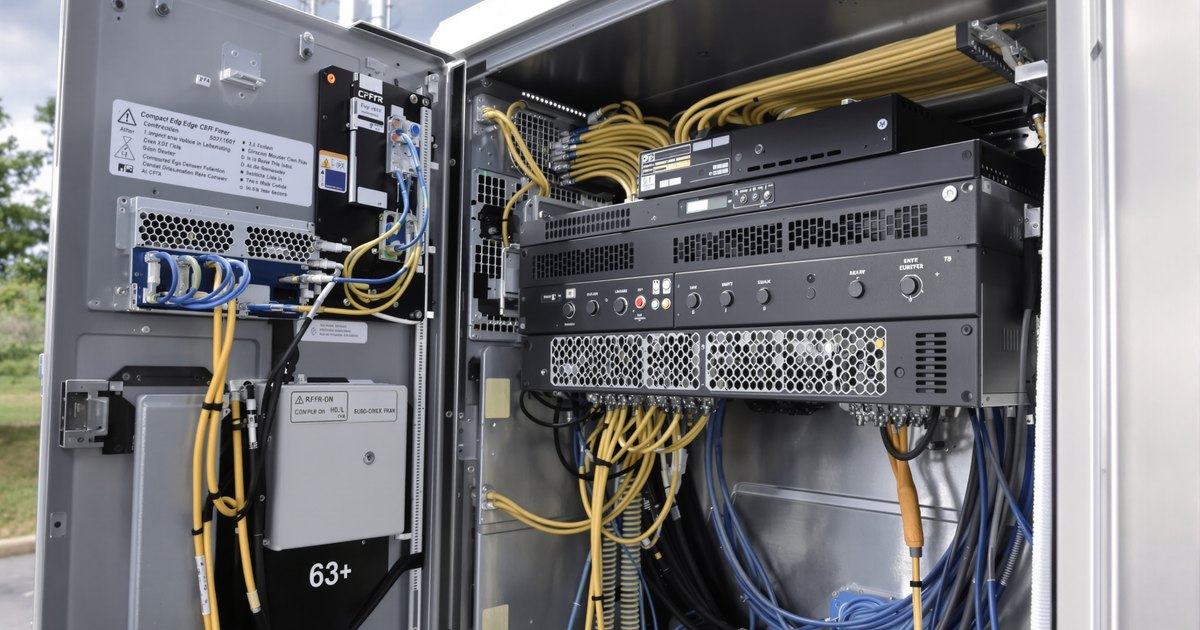
Edge servers and network appliances are the machines at the far end of a network: a server in a retail back room, a short-depth system in a telecom cabinet, a virtual-network appliance at a branch, an inference box at a plant. They tend to be deployed in volume, at sites with nobody on hand to troubleshoot, so the memory has to be the right type the first time. This guide walks through identifying the system, choosing the module type, deciding on RDIMM, LRDIMM or UDIMM and ECC, sizing capacity and installing. The NEMIX RAM catalog behind it lists 82 edge and network appliance listings covering 66 system names, shown below by module type with a link to each. For the family overview, see the telecom, network and edge memory page.
Step 1: Find your exact system and what is installed
The model name is on the label on the chassis, for example a Dell PowerEdge XR12, a Lenovo ThinkEdge SE450, a GIGABYTE E263-S30 or an MSI Network Appliance N3040. Match the whole name: a generation, a letter suffix or a revision can change the memory. Where the system is reachable, its management controller or BIOS reports the installed modules, their type and how many slots are filled. If a module is already installed, its label shows the generation, the form factor and the speed, and matching those is the safest way to add to it.
Step 2: Match the module type to the system class
| Family | Systems | Listings | Modules listed | Start here |
|---|---|---|---|---|
| Dell PowerEdge XR | XR edge rack servers | 13 | DDR4, DDR5; RDIMM, LRDIMM; ECC | Dell XR collection · Dell hub page |
| Lenovo ThinkEdge | ThinkEdge and ThinkSystem SE edge servers | 5 | DDR4, DDR5; RDIMM; ECC | ThinkEdge collection · Lenovo guide |
| HPE edge | Compute Edge Server e-series and ProLiant Compute EL | 5 | DDR4, DDR5; RDIMM, LRDIMM; ECC | HPE edge collection · HPE guide |
| QCT QuantaEdge | QuantaEdge EGX edge servers | 7 | DDR4, DDR5; RDIMM, LRDIMM; ECC | QCT collection · QCT guide |
| ASUS edge | EG500, EG520 and ESR1 edge servers | 8 | DDR5; RDIMM; ECC | ASUS server collection · ASUS guide |
| GIGABYTE edge | E-series edge servers | 25 | DDR4, DDR5; UDIMM, RDIMM, LRDIMM; ECC and non-ECC | GIGABYTE edge collection · GIGABYTE guide |
| MSI Network Appliance | N-series network appliances | 15 | DDR3L, DDR4, DDR5; SODIMM, UDIMM, RDIMM; ECC and non-ECC | MSI hub page · MSI guide |
| QNAP QuCPE | QuCPE network appliances | 4 | DDR4; UDIMM, RDIMM; ECC and non-ECC | QNAP hub page |
In practice there are four module types. RDIMM (registered) and LRDIMM (load-reduced) are ECC modules used by edge servers. UDIMM is the unbuffered desktop-style module used by some edge servers, such as the GIGABYTE E133 series, and by many network appliances. SODIMM is the compact module used by small appliances. They are different sizes and are keyed differently, and DDR3, DDR4 and DDR5 do not fit each other's slots.
Step 3: RDIMM or LRDIMM, and ECC
ECC memory detects and corrects single-bit errors, which matters for any system that runs unattended for years. All 65 RDIMM and LRDIMM listings are ECC. Some systems accept both RDIMM and LRDIMM and NEMIX RAM lists a separate listing for each, for example the Dell PowerEdge XR11 and XR12. Use the listing for the type you are installing, do not mix RDIMM with LRDIMM in one system, and follow the system maker's population rules. Where a UDIMM system offers both ECC and non-ECC listings, the system specification decides which your processor and board accept, and ECC should not be mixed with non-ECC.
Step 4: Find your system below
Every model links to its listing, and where a model has two options both are linked. NEMIX RAM supplies single modules and matched kits for each; the system maker's specification sets the supported maximum.
DDR5 RDIMM (current edge servers)
DDR4 RDIMM and LRDIMM
| Speed | Systems |
|---|---|
| DDR4-2666 | Dell PowerEdge XR2 (RDIMM, LRDIMM), QNAP QuCPE-7010, QNAP QuCPE-7012 |
| DDR4-3200 | Dell PowerEdge XR11 (RDIMM, LRDIMM), Dell PowerEdge XR12 (RDIMM, LRDIMM), Dell PowerEdge XR4000w XR4510c XR4520c Series (RDIMM, LRDIMM), GIGABYTE E152-ZE0 (RDIMM, LRDIMM), GIGABYTE E152-ZE1 (RDIMM, LRDIMM), HPE Compute Edge Server e920, e920d, e920t (RDIMM, LRDIMM), Lenovo ThinkEdge SE360 V2/SE350 V2, Lenovo ThinkEdge SE450, Lenovo ThinkSystem SE350, MSI Network Appliance N2030c, MSI Network Appliance N3020, MSI Network Appliance N4010, MSI Network Appliance N5000a / N5000b, MSI Network Appliance N5010 / N5011, QCT QuantaEdge EGX63IS-1U (RDIMM, LRDIMM), QCT QuantaEdge EGX66Y-2U (RDIMM, LRDIMM) |
UDIMM (edge servers, network appliances and QuCPE)
| Speed | Systems |
|---|---|
| DDR4-2400 | QNAP QuCPE-3032, QNAP QuCPE-3034 |
| DDR4-3200 | MSI Network Appliance N3010 (ECC, non-ECC), MSI Network Appliance N3030 (ECC, non-ECC), MSI Network Appliance N3040 (ECC, non-ECC) |
| DDR5-5600 | GIGABYTE E133-C10-AAG1, GIGABYTE E133-X10-AAA1 (ECC, non-ECC), GIGABYTE E133-X10-AAG1 (ECC, non-ECC), MSI Network Appliance N3050 (ECC, non-ECC) |
SODIMM (compact network appliances)
| Speed | Systems |
|---|---|
| DDR3L-1866 | MSI Network Appliance N1000a / N1000b / N1000c |
| DDR4-3200 | MSI Network Appliance N1010 |
Step 5: Choose capacity and fill the channels
Edge workloads vary widely: a firewall or SD-WAN appliance needs far less than a site running virtual machines, containers or local inference. Start from the amount in your configuration, add what you plan to run, and size for the life of the hardware, since a truck roll to add memory costs more than the memory. Servers perform best when every memory channel is populated with matching modules, so the system maker's population guide tells you how many modules to buy and in what slots; a matched kit arrives matched for capacity and speed, and the listing for your model shows the kit sizes available.
Step 6: Sealed and proprietary appliances
Many firewalls, routers and switches use memory that the vendor supplies only as its own part number, or that is soldered to the board. There is nothing standard to buy for those systems and they are not listed here. If your appliance has a standard memory slot and is not listed, send us the model and we will check.
Step 7: Installing and checking
Shut the system down and unplug it, ground yourself on bare metal, open the memory compartment and seat each module firmly until the retaining clips click. On first boot, confirm in the BIOS or the management controller that the full capacity is detected. If the system does not start or shows less memory than installed, reseat the modules and check that the generation and type match the listing. Doing a first site as a pilot, and checking it before the rest, avoids repeating a mistake across a rollout.
Rolling out many sites
Retailers with a server at every store, service providers with the same appliance at many sites, and integrators who deploy one model repeatedly save time by standardizing: record each model once, choose one listing per model, and order the same kit for every unit. Keeping a few spare kits per model turns a failed module into a swap. The fleet memory upgrade guide covers the process for desktops and laptops, and the data center refresh guide covers it for racks; the same steps apply here. Related catalogs: Cisco UCS server memory (50 listings), Supermicro IoT and embedded SuperServers (201) and ASRock Industrial (327), which includes iEPF expandable edge systems.
Buying memory for edge sites and network appliances
Purchase orders, net terms and volume pricing are available for businesses, service providers, integrators, schools, government agencies and resellers. Request a quote with your system models and quantities, or contact our sales team. Public-sector buyers can start from the education and government page. When equipment is retired, NEMIX RAM also offers IT asset disposition.
Don't see your system?
Send us the model name or the part number on an installed module and we will confirm a compatible module before you order.