
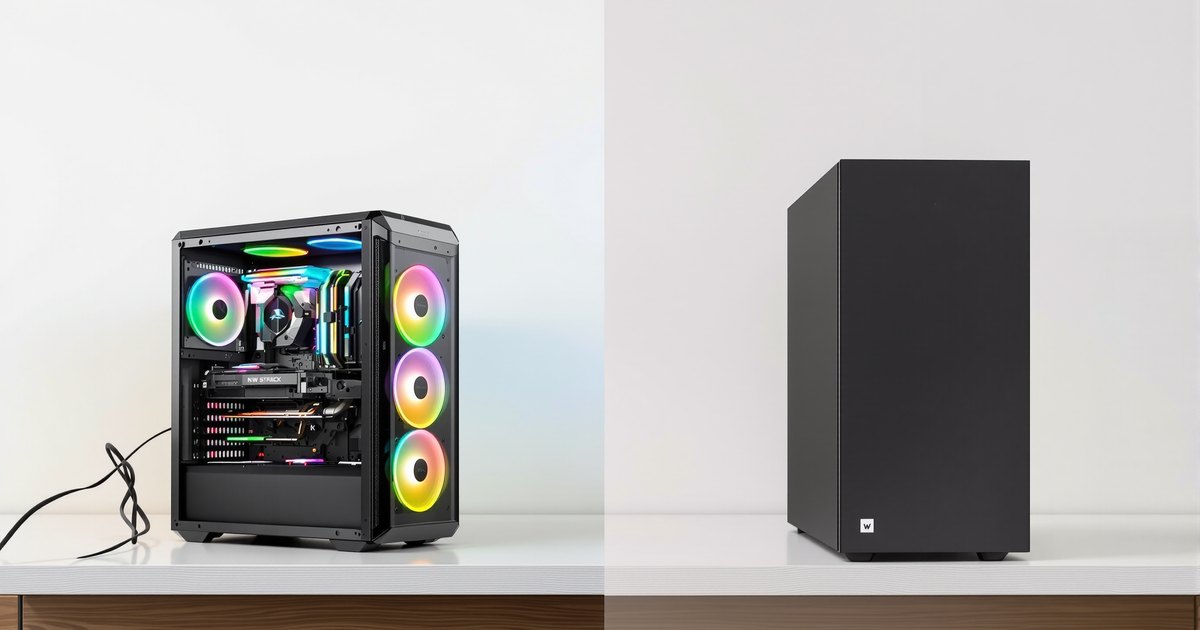
On a gaming PC, memory overclocking is a reasonable experiment: an unstable setting costs a restart and a lost match. On a professional workstation, the trade runs the other way. A crash or a silent error hours into a render, simulation or build costs far more than the extra bandwidth is worth. Gamers can enable XMP or EXPO and test; professionals should run memory at rated speed, with ECC where the platform supports it.
Two different goals
| Gaming PC | Professional workstation | |
|---|---|---|
| Main goal | Higher frame rates | Correct results, finished on time |
| Cost of a crash | A restart | Hours of lost work or a corrupted file |
| Typical memory | Two non-ECC UDIMMs with XMP or EXPO | ECC UDIMM or ECC RDIMM at rated speed |
| Where performance comes from | Speed and timings | Channels, capacity and core count |
| Memory overclocking | Try it and test | Leave it off |
When overclocking helps gamers
CPU-limited games at lower resolutions respond most to memory speed and latency. GPU-limited games at high resolution barely change. See how much performance DDR5 overclocking gains and should you enable XMP or EXPO.
Why workstations favor stability
- Long jobs: renders, simulations and model training run for hours or days. An error late in the job wastes all of it.
- Silent errors: on non-ECC memory, a marginal setting can change data without crashing. On ECC memory, errors are corrected and logged. See the ECC vs non-ECC guide.
- Capacity: workstations often run four to eight modules, where speeds drop even at stock. See does RAM capacity affect overclocking.
- Bandwidth from channels: four or eight channels at rated speed beat two overclocked ones. See dual-channel vs quad-channel vs eight-channel memory.
What about overclockable workstations?
Threadripper 7000 on TRX50 and WRX90, and Xeon W X models on W790, allow memory tuning, and a few retail RDIMM kits carry XMP or EXPO profiles. They suit enthusiasts and benchmarkers. For production work, the same platforms at rated speed are the safer choice. See can you overclock ECC registered server memory.
Memory that runs at its rated speed
NEMIX RAM modules are JEDEC-compliant and run at standard speeds with no profile to enable. For servers and workstations, see DDR5 RDIMM, DDR4 RDIMM and LRDIMM, or start from data center server memory. Workstation builders can also read memory types explained.
Frequently asked questions
Should I overclock RAM on a gaming PC?
It is reasonable to try. Enabling XMP or EXPO is the simple route, and an unstable setting costs a restart. Test it, and fall back if crashes appear.
Should I overclock RAM on a workstation?
Usually not. A crash or a silent error hours into a render, simulation or compile costs more than the speed gain. Run memory at rated speed, with ECC where the platform supports it.
Do workstation boards support memory overclocking?
Some do. Threadripper 7000 on TRX50 and WRX90, and overclockable Xeon W X models on W790, allow memory tuning. Whether you should is a separate question.
Is ECC worth it on a gaming PC?
For gaming alone, rarely. ECC matters when wrong results or corrupted files are costly: professional work, storage and long jobs.
What gives a workstation more memory performance than overclocking?
More channels and the right capacity. An eight-channel workstation at rated speed has far more bandwidth than a two-channel desktop overclocked.
Buying for more than one system
IT teams and integrators that maintain creative and engineering workstations can standardize on one kit per model. Request a quote with your models and quantities, or send us your system model and we will confirm the right module before you order.
Steps and rules are summarized from the vendors' published documentation; follow the guide for your exact model.