
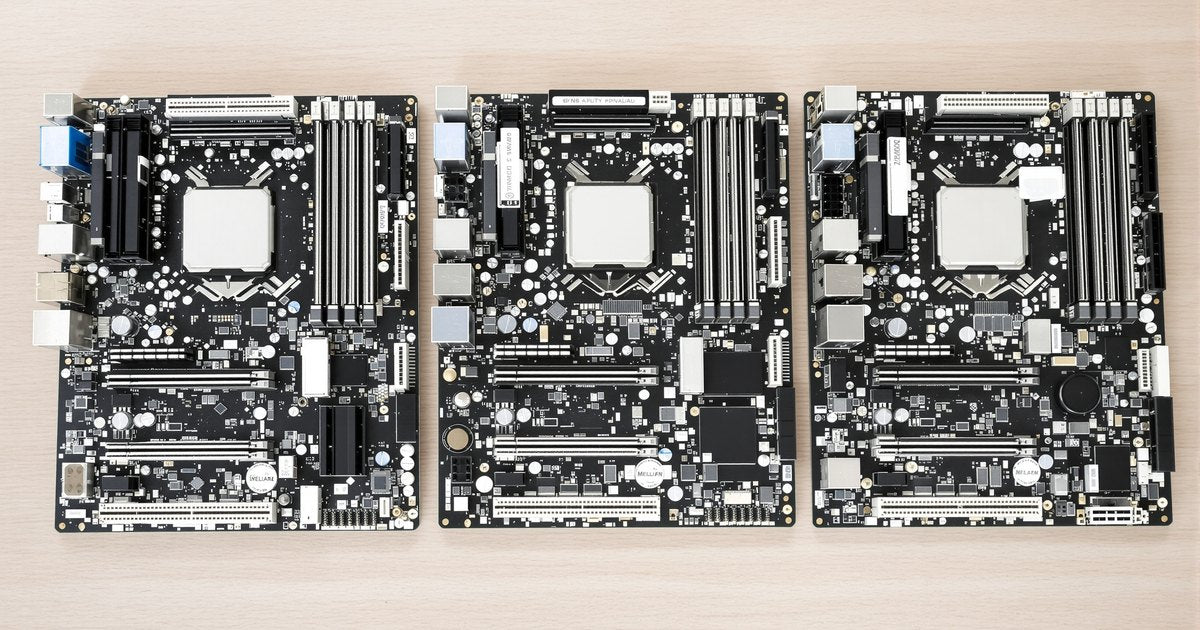
Memory bandwidth is channels times speed. A desktop has two channels, a high-end workstation four, a professional workstation or server eight, and the newest server sockets twelve. The channel count sets how many modules you need to install to get the bandwidth you paid for, and it is the number most often ignored on a purchase order. This guide explains what a channel is, lists the count by platform, and gives the population rules.
The short answer
| Platform | Channels | Modules for full bandwidth | Bandwidth at DDR5-5600 |
|---|---|---|---|
| Desktop: Intel Core, AMD Ryzen | 2 | 2 | About 90GB/s |
| High-end workstation: Threadripper 7000 and 9000 (TRX50), Xeon W-2400 and W-2500 | 4 | 4 | About 180GB/s |
| Professional workstation: Threadripper PRO (WRX90), Xeon W-3400 and W-3500 | 8 | 8 | About 360GB/s |
| Server: Xeon Scalable 4th and 5th gen, Xeon 6 (6700) | 8 | 8 per socket | About 360GB/s per socket |
| Server: AMD EPYC 9004 and 9005, Xeon 6 (6900) | 12 | 12 per socket | About 540GB/s per socket |
Bandwidth figures are theoretical, from 64 bits per channel times the transfer rate; real throughput is lower. The point is the ratio: each channel left empty removes its share.
What a channel is
A channel is one 64-bit data path (72 with ECC) from the memory controller to a set of DIMM slots. The controller can read or write each channel independently and in parallel, so two channels move twice the data of one in the same time. Each channel has one or two slots. A board with four slots on a dual-channel desktop has two slots per channel; a WRX90 board with eight slots has one per channel. Which slots belong to which channel is printed in the manual and usually colour-coded on the board.
DDR5 added a wrinkle: each DDR5 module is internally two 32-bit sub-channels, which lets the controller interleave more finely. Platforms still describe themselves by module-level channels, so a DDR5 desktop is still dual-channel; the sub-channels make each channel more efficient, not more numerous.
Why the count matters for the order
Bandwidth only exists when there is a module on the channel. A WRX90 workstation ordered with four 32GB modules has 128GB and half its bandwidth; the same money on eight 16GB modules gives the same capacity and all of it. For bandwidth-bound work (rendering, fluid simulation, large AI models, in-memory databases) that is the difference the platform was bought for. The rule for an order is one module per channel, identical, and then size the modules to the capacity. How to choose RAM by processor and board puts that in a full checklist, and Threadripper boards and memory configuration applies it to the workstation platforms.
One or two modules per channel
Adding a second module to a channel adds capacity, not bandwidth, and on workstations and servers it usually lowers the supported speed by one or two grades because the channel now carries twice the electrical load. Server memory tables list both figures: DDR5-5600 at one DIMM per channel, DDR5-4800 or 4400 at two, for example. Why RAM runs slower when all slots are filled explains the mechanism. For capacity-bound work the trade is worth it; for bandwidth-bound work, use larger modules at one per channel instead.
Desktop, workstation, server
Desktops keep two channels because two modules of 32GB or 48GB cover any desktop task and the socket is small. Workstations add channels because their work is bandwidth-bound and their sockets are larger; TRX50 and Xeon W-2400 are the four-channel tier, WRX90 and Xeon W-3400 the eight-channel tier. Servers go to eight and twelve channels per socket because they run many cores against large datasets, and a two-socket server doubles everything: sixteen or twenty-four channels and as many modules. Single-socket vs dual-socket server motherboards covers that side, and the workstation memory guide the platforms in between.
Checking your configuration
The firmware memory screen and tools like CPU-Z report the active channel mode. If a four-channel system shows dual-channel, modules are in the wrong slots or two have failed to train. How to verify RAM speed after installation covers reading it, and how to fix RAM not detected by the BIOS the case where a module is missing from the count.
Buying
Two modules of DDR5 UDIMM or DDR5 ECC UDIMM for desktops; four or eight of DDR5 RDIMM for workstations; eight or twelve per socket for servers, with model-level listings on the data center server memory page already counted out for each platform.
Frequently asked questions
Is quad-channel twice as fast as dual-channel?
Twice the bandwidth at the same speed and generation, yes. Whether an application feels it depends on how memory-bound it is: rendering, simulation and large datasets do; office software does not.
Do I lose anything by filling only two of four channels?
Half the bandwidth. Capacity is unaffected. On a workstation bought for memory-heavy work, fill all channels with matched modules.
Does DDR5 count as dual-channel per module?
Each DDR5 module has two 32-bit sub-channels, but platforms still count channels per module slot pair. A two-DIMM desktop is dual-channel on DDR5 as on DDR4; the sub-channels improve efficiency, not the headline count.
Why does a server lose speed when I add a second module per channel?
Two modules on one channel double the electrical load, and the platform drops to the speed it can drive reliably at that load. The memory table lists the one-per-channel and two-per-channel speeds.
Memory for workstations, servers and fleets
Channel count is the number that decides how many modules to put on the order. Request a quote with your systems and quantities, or contact our sales team. Related: data center server memory, business fleet memory and education and government.