
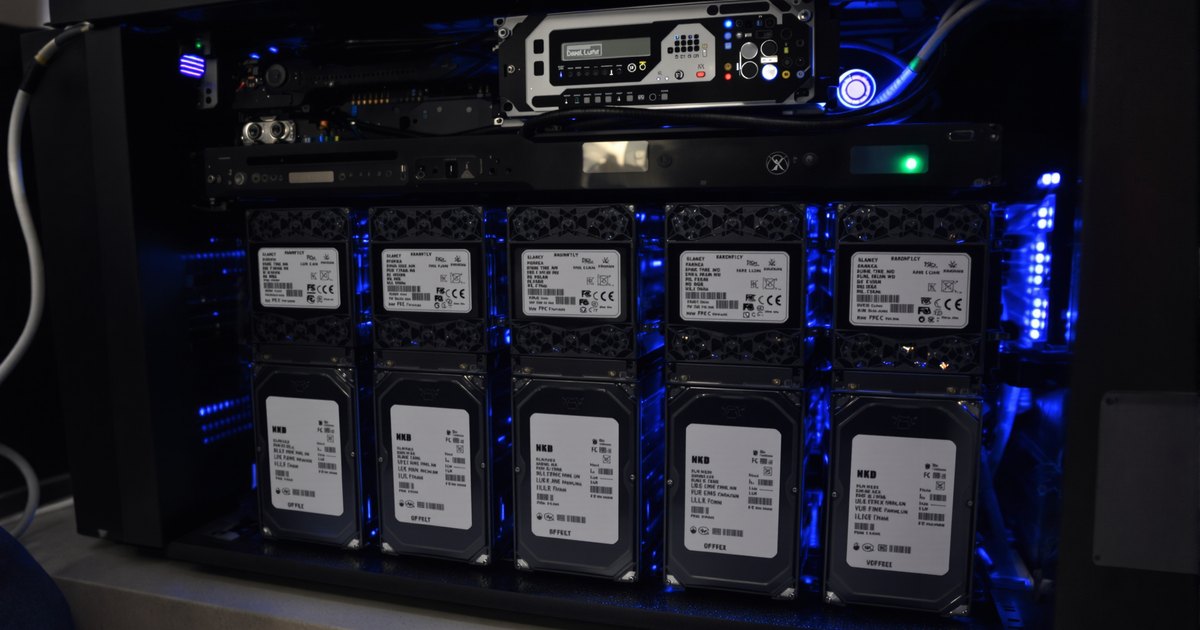
TrueNAS is a free operating system that turns a computer into a network storage server. It is built around ZFS, a filesystem designed to notice and repair data corruption, and it is the most common choice for people who build their own NAS instead of buying one from Synology or QNAP. This guide explains what it is, what it runs on, what ZFS does, and why memory matters more to a TrueNAS box than to almost any other kind of computer.
What TrueNAS is
TrueNAS is published by iXsystems. It began as FreeNAS, a FreeBSD-based storage distribution, and was renamed TrueNAS CORE in 2020. A Linux-based edition, TrueNAS SCALE, followed, and in 2025 iXsystems made the Linux line the main product, now called TrueNAS Community Edition, with CORE in maintenance. Either way, the idea is the same: install it on a machine with several drives, and it becomes a file server with a web interface, snapshots, replication, user permissions and, on the Linux edition, containers and virtual machines.
Unlike a Synology or QNAP unit, TrueNAS does not come with hardware. You choose the case, board, processor, drives and memory, or buy an iXsystems appliance. That freedom is why people use it, and it is also why the memory question comes up so often: there is no maker's spec sheet telling you what to install.
What ZFS does
ZFS is the reason to run TrueNAS. It combines the volume manager and the filesystem, so it knows which drives hold which data and can act on both. The features that matter for a NAS:
- Checksums on every block. ZFS stores a checksum with each block and verifies it on every read. If a drive returns bad data and the pool has redundancy, ZFS repairs it from a good copy.
- Pools and vdevs. Drives are grouped into vdevs (mirrors or RAIDZ) and vdevs into a pool. Capacity and redundancy are set per vdev.
- Snapshots. A snapshot records the state of a dataset at a moment and costs almost nothing until data changes. Snapshots are how TrueNAS does versioning and ransomware recovery.
- Replication. Snapshots can be sent to another TrueNAS box, which is the usual off-site backup method.
- The ARC. ZFS keeps an Adaptive Replacement Cache in memory. It holds recently and frequently read data and all the metadata it can, and it is why ZFS performance rises with memory.
What TrueNAS runs on
Any 64-bit x86 machine with enough drives can run it, from a repurposed desktop to a dual-socket server. The hardware choices that matter:
| Component | What to look for |
|---|---|
| Processor | Any modern x86 CPU. More cores help with compression, apps and VMs. ECC support is a plus. |
| Board | Enough SATA ports or a slot for an HBA, a reliable NIC, and ECC support if the CPU has it. Server boards from ASRock Rack and Supermicro are common. |
| Memory | 8GB minimum, 16GB realistic, 32GB or more for large pools, apps and VMs. ECC recommended. |
| Boot device | A small SSD. TrueNAS does not use the boot drive for data. |
| Data drives | NAS or enterprise drives in mirrors or RAIDZ. Never put the pool on a USB enclosure. |
| Network | 2.5GbE is the sensible floor; 10GbE if the clients can use it. |
Our guide to choosing a motherboard for a DIY NAS covers the board decision, and finding compatible RAM for a motherboard covers matching memory to it.
Why memory matters so much here
Three reasons. First, the ARC: every gigabyte you add is a gigabyte of read cache, and a pool that serves repeat reads from memory feels like an SSD even on spinning drives. Second, ZFS keeps metadata in memory, and large pools with millions of files need room for it. Third, the Linux edition runs containers and virtual machines, and those take memory on top of what ZFS wants. iXsystems documents 8GB as the minimum. In practice 16GB is where a home or small-office box should start, and 32GB or 64GB is normal for a box that also runs apps. Deduplication is the exception that breaks every rule of thumb; it needs several gigabytes per terabyte and should be left off unless you know why you need it.
The TrueNAS RAM guide gives numbers by drive count and workload, and ECC vs non-ECC for a NAS explains why iXsystems recommends ECC.
TrueNAS or a ready-made NAS?
A Synology, QNAP, ASUSTOR, TerraMaster or UGREEN unit gives you a tested box, a polished app store and a support line, with memory limits set by the maker. TrueNAS gives you ZFS on hardware you control, with no capacity ceiling but your board's, and it asks you to do the integration yourself. Many small businesses run one of each: a ready-made NAS for daily file service and a TrueNAS box as the replication target. QNAP's QuTS hero models are the middle path, ZFS in a ready-made unit.
Memory for a TrueNAS build
Match the module to the board: DDR4 ECC UDIMM or DDR5 ECC UDIMM for most workstation and server boards, DDR4 RDIMM or DDR5 RDIMM for Xeon and EPYC server boards, and DDR4 ECC SODIMM for compact boards with SODIMM slots. The memory types guide explains which is which.
Frequently asked questions
Is TrueNAS free?
Yes. TrueNAS Community Edition is free to download and run on your own hardware. iXsystems sells supported appliances and an enterprise edition with support contracts.
What is the difference between TrueNAS CORE and TrueNAS SCALE?
CORE is the FreeBSD-based line that grew out of FreeNAS and is now in maintenance. SCALE is the Linux-based line, now simply called TrueNAS, with containers and virtual machines built in. New installs should use the Linux version.
Does TrueNAS need ECC memory?
It does not refuse to run without ECC, but iXsystems recommends it. ZFS protects data on disk; ECC protects it in memory.
How much RAM does TrueNAS need?
8GB is the documented minimum. 16GB is a realistic starting point, and more helps because ZFS uses free memory as a read cache. Apps and virtual machines add to that.
Buying NAS memory for one unit or a fleet
TrueNAS runs on hardware you choose, which means the memory is yours to choose too. Request a quote with your models and quantities, or contact our sales team. Related: NAS memory hub, business fleet memory and education and government.