
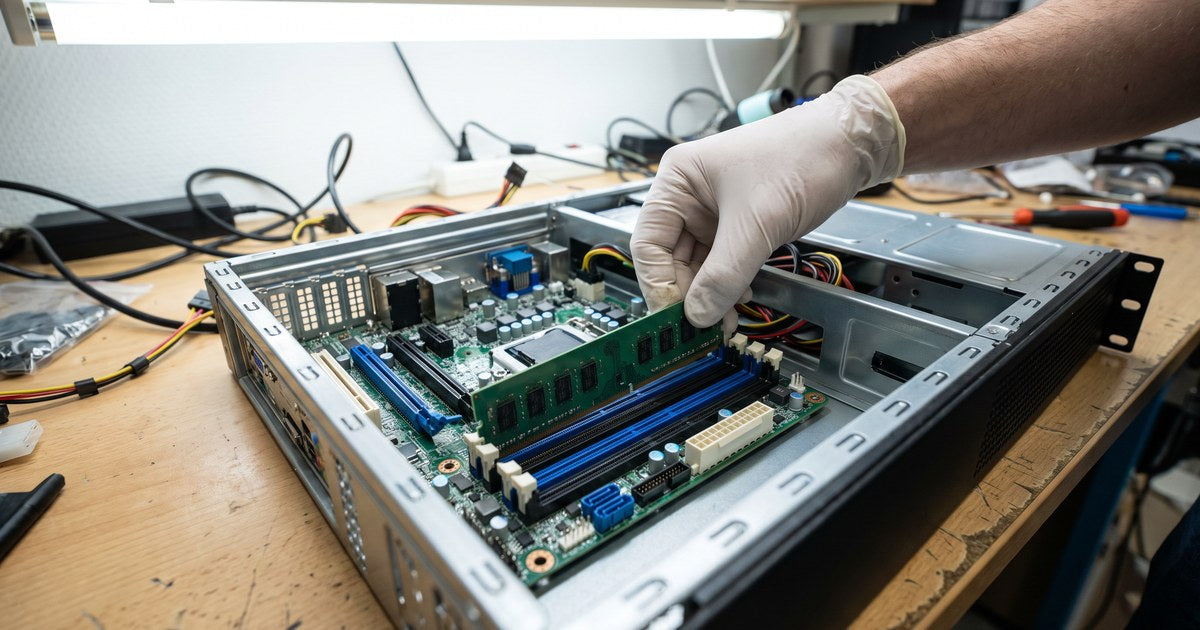
The TrueNAS Mini X+, Mini XL+ and Mini R have four DIMM slots and ship with two filled, so most upgrades add a matched pair. This guide covers the memory type and the install steps.
Which memory does your Mini take?
| Model | Processor | Memory | Slots | iXsystems maximum | NEMIX RAM listing |
|---|---|---|---|---|---|
| Mini X+ | Intel Atom C3758 | DDR4 ECC RDIMM | 4 | 64GB (board accepts 256GB) | DDR4-3200 ECC RDIMM, 16GB to 256GB |
| Mini XL+ | Intel Atom C3758 | DDR4 ECC RDIMM | 4 | 64GB (board accepts 256GB) | DDR4-3200 ECC RDIMM, 16GB to 256GB |
| Mini R | Intel Atom C3758 | DDR4 ECC RDIMM | 4 | 64GB (board accepts 256GB) | DDR4-3200 ECC RDIMM, 16GB to 256GB |
See the TrueNAS Mini memory guide for sizing.
Before you start
- Use registered ECC (RDIMM) to match the factory memory.
- Add memory in matched pairs.
- Never add or remove memory with the power on.
How to install memory in a TrueNAS Mini
Step 1: Back up and shut down
Back up your pool configuration, shut down from the TrueNAS web interface, and unplug the power and every cable.
Step 2: Open the case
Open the case as shown in the iXsystems Hardware Upgrades Guide for your model to reach the motherboard and its four DIMM slots.
Step 3: Find the slot pairs
The slots are color-coded in pairs. The factory memory sits in one color; install new memory as a same-capacity pair in the matching color slots.
Step 4: Seat the new modules
Open the latches at the ends of each slot, line up the notch with the key, and press the module straight down until both latches close.
Step 5: Close up and power on
Reassemble the case, reconnect the cables and power on.
Step 6: Confirm the new total
Check the memory total on the TrueNAS dashboard, then run a memory test before relying on the system.
If the system does not start or shows less memory
- Power off and reseat each module until both latches close.
- Confirm every module is RDIMM.
- Test with the factory pair only, then add the new pair.
- Send us your model and the module part numbers.
Frequently asked questions
Which slots do I use in a TrueNAS Mini X+?
Install memory as same-capacity pairs in the matching color slots, as the iXsystems upgrade guide shows.
What RAM does the TrueNAS Mini X+ use?
DDR4 ECC Registered (RDIMM). iXsystems ships the Mini X+, Mini XL+ and Mini R with 2X16GB DDR4-2400 RDIMM on the Supermicro A2SDi-H-TF board.
Can I mix RDIMM and UDIMM in a TrueNAS Mini?
No. Use registered modules to match the factory RDIMMs. Mixing registered and unbuffered modules stops the system from booting.
How much RAM can a TrueNAS Mini X+ take?
iXsystems lists the Mini X+, Mini XL+ and Mini R as upgradeable to 64GB. The A2SDi-H-TF board accepts up to 256GB of RDIMM in four slots.
Find your memory
Buying for several units
NEMIX RAM is a US-based memory specialist, in business since 1993. Every module is researched, matched, and compatibility-tested by NEMIX RAM, is JEDEC-compliant, and is backed by a lifetime warranty. Offices, labs, schools and integrators that run the same model can standardize on one kit per model. Purchase orders, net terms and volume pricing are available. Request a quote with your models and quantities, or contact our sales team.
NEMIX RAM is an independent memory supplier and is not affiliated with iXsystems. TrueNAS, Supermicro and iXsystems names are trademarks of their respective owners, used only to identify compatible systems. Specifications are summarized from the maker's published information; check the documentation for your exact model.