
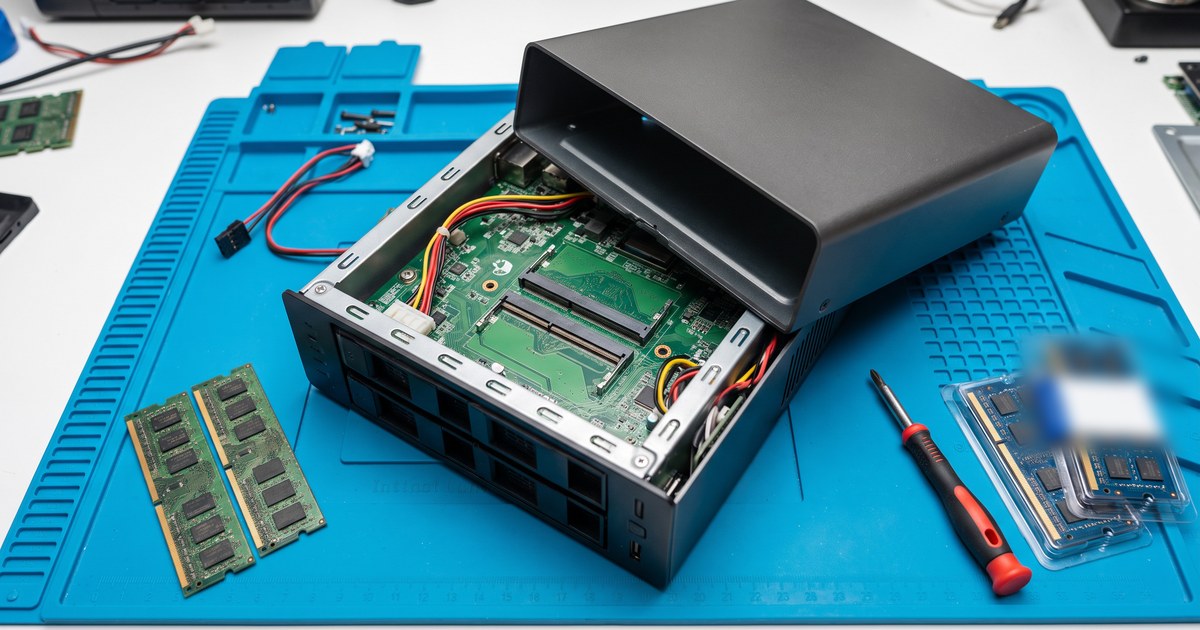
Upgrading a PR4100 or PR2100 to 16GB means replacing both factory 2GB modules with a matched 2X8GB DDR3L kit. WD documents the procedure in its user manual; this guide summarizes it and covers which memory to use.
Which memory does your My Cloud take?
| Model | Processor | Memory | Slots | WD maximum | NEMIX RAM listing |
|---|---|---|---|---|---|
| My Cloud PR4100 | Intel Pentium N3710 | DDR3L SODIMM (1.35V) | 2 | 16GB | DDR3L-1600 non-ECC SODIMM, 8GB to 16GB |
| My Cloud PR2100 | Intel Pentium N3710 | DDR3L SODIMM (1.35V) | 2 | 16GB | DDR3L-1600 non-ECC SODIMM, 8GB to 16GB |
See the PR4100 memory guide for details.
Before you start
- Use 1.35V DDR3L SODIMM.
- Review WD's warranty policy and keep the factory modules.
- Never add or remove memory with the power on.
How to install memory in a PR4100 or PR2100
Step 1: Shut down and disconnect
WD's PR4100 manual starts by shutting down the My Cloud device and disconnecting all external connections. You need a Phillips screwdriver.
Step 2: Open the enclosure
Open the enclosure as shown in the "Replacing a SO-DIMM Memory Module" section of WD's user manual to reach the memory slots.
Step 3: Remove both factory modules
Push the clips on both sides of each slot outward and lift each 2GB module out by its edges. Keep them in an anti-static bag.
Step 4: Seat the new modules
Insert each DDR3L SODIMM at an angle of about 30 degrees with the notch aligned, and press it down until the clips lock.
Step 5: Close up and power on
Reassemble the enclosure, reconnect the cables and power on.
Step 6: Confirm the new total
Check the memory total in the My Cloud dashboard.
If the NAS does not start or shows less memory
- Power off and reseat each module until the clips click.
- Confirm both modules are DDR3L of the same size.
- Refit the factory modules to confirm the unit is healthy, then send us your model.
Frequently asked questions
How do I upgrade the RAM in a WD PR4100?
Shut down and disconnect, open the enclosure as WD's manual shows, remove both factory 2GB modules, install a matched 2X8GB DDR3L kit, reassemble and check the total in the dashboard.
What RAM does the WD PR4100 use?
DDR3L SODIMM at 1.35V. For 16GB, install a matched 2X8GB kit in place of both factory 2GB modules.
How much RAM can a WD My Cloud PR4100 take?
WD lists the PR4100 with 4GB (2GB+2GB) of DDR3L in two SO-DIMM slots, upgradable to 16GB.
Will a memory upgrade affect my WD warranty?
WD advises reviewing its warranty policy before upgrading memory. Keep the factory modules so you can refit them if needed.
Find your memory
Buying for several units
NEMIX RAM is a US-based memory specialist, in business since 1993. Every module is researched, matched, and compatibility-tested by NEMIX RAM, is JEDEC-compliant, and is backed by a lifetime warranty. Offices, labs, schools and integrators that run the same model can standardize on one kit per model. Purchase orders, net terms and volume pricing are available. Request a quote with your models and quantities, or contact our sales team.
NEMIX RAM is an independent memory supplier and is not affiliated with Western Digital. WD, My Cloud and Western Digital names are trademarks of their respective owners, used only to identify compatible systems. Specifications are summarized from the maker's published information; check the documentation for your exact model.