
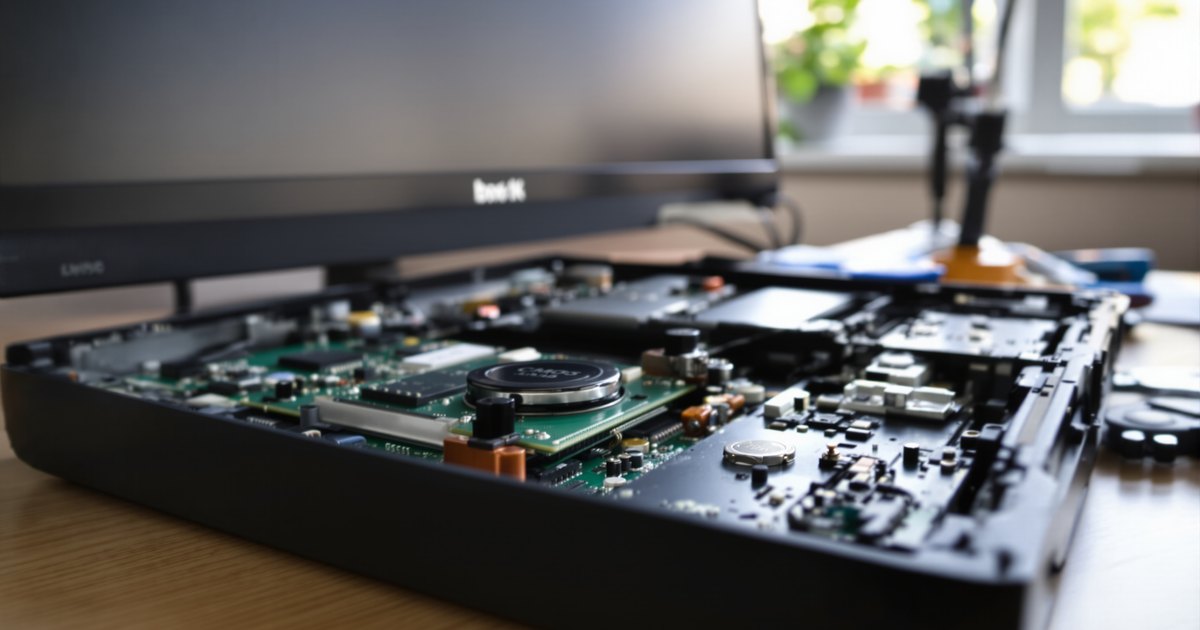
After a failed memory overclock, first give the system a few restarts: many boards detect failed boots and return to safe settings, and DDR5 memory training can take a minute or more. If it still will not boot, power off, then clear CMOS with the button or jumper on the motherboard, or remove the coin cell battery for a few minutes. The board then boots with default memory settings, and you can retry with a milder profile.
Step by step
Step 1: Wait for automatic recovery
Restart and wait. DDR5 memory training can take a minute or more, and many boards return to safe settings after repeated failed boots. Some show an overclocking failed message with an option to enter setup.
Step 2: Power off and unplug
Shut down, switch off the power supply and unplug the cord. On a laptop, disconnect the charger.
Step 3: Use Clear CMOS
Press the Clear CMOS button on the rear panel if the board has one, or short the CLR_CMOS jumper as the manual describes.
Step 4: Or remove the CMOS battery
If there is no button or jumper, remove the coin cell battery for a few minutes, then reinstall it.
Step 5: Boot and wait for training
Reconnect power and start the system. Expect a longer first boot while memory retrains.
Step 6: Set the basics again
Enter the BIOS, set date and time and boot order, and leave memory at default. Retest before trying a milder setting.
Recovery options compared
| Method | When to use it | Notes |
|---|---|---|
| Automatic recovery | First | Many boards revert after repeated failed boots |
| Clear CMOS button | Board has one on the rear panel | Quickest manual reset |
| CLR_CMOS jumper | No button | Follow the manual exactly |
| Remove CMOS battery | No button or jumper access | Unplug power first; wait a few minutes |
After the reset
- Update the BIOS before trying again. See how BIOS updates improve memory compatibility.
- Try the less aggressive profile, or one speed step lower.
- Test before relying on it. See how to test RAM stability after overclocking.
- If default settings still fail, check the modules. See what a DRAM error light means and how to fix RAM not detected by the BIOS.
Servers do not need this
Server memory runs at the processor's rated speed, so there is no overclock to undo. If a server will not boot after a memory change, the cause is usually population or compatibility. See what happens if you install unsupported RAM and memory types explained.
Memory that runs at its rated speed
NEMIX RAM modules are JEDEC-compliant and run at standard speeds with no profile to enable. For servers and workstations, see DDR5 RDIMM, DDR4 RDIMM and LRDIMM, or start from data center server memory.
Frequently asked questions
How do I reset the BIOS after a failed RAM overclock?
Use the Clear CMOS button or jumper on the motherboard, or remove the CMOS battery for a few minutes with the power disconnected. The board then boots with default memory settings.
Will my PC fix itself after a failed memory overclock?
Often. Many boards detect repeated failed boots and return to safe settings automatically. Give it a few restarts before clearing CMOS.
Why does my PC take so long to boot after a reset?
DDR5 systems retrain memory after a settings change, which can take a minute or more with a blank screen. Wait before assuming it failed.
Does clearing CMOS delete my files?
No. It resets BIOS settings, including boot order, date and time and any overclock. Files on your drives are not touched.
What if the system still will not boot at default settings?
Reseat the modules, try one module in the slot the manual recommends, and check the DRAM error light. A module may be faulty.
Buying for more than one system
IT teams and integrators that maintain desktops and workstations can standardize on one kit per model. Request a quote with your models and quantities, or send us your system model and we will confirm the right module before you order.
Steps and rules are summarized from the vendors' published documentation; follow the guide for your exact model.